Retime a robot-arm trajectory with leapsea
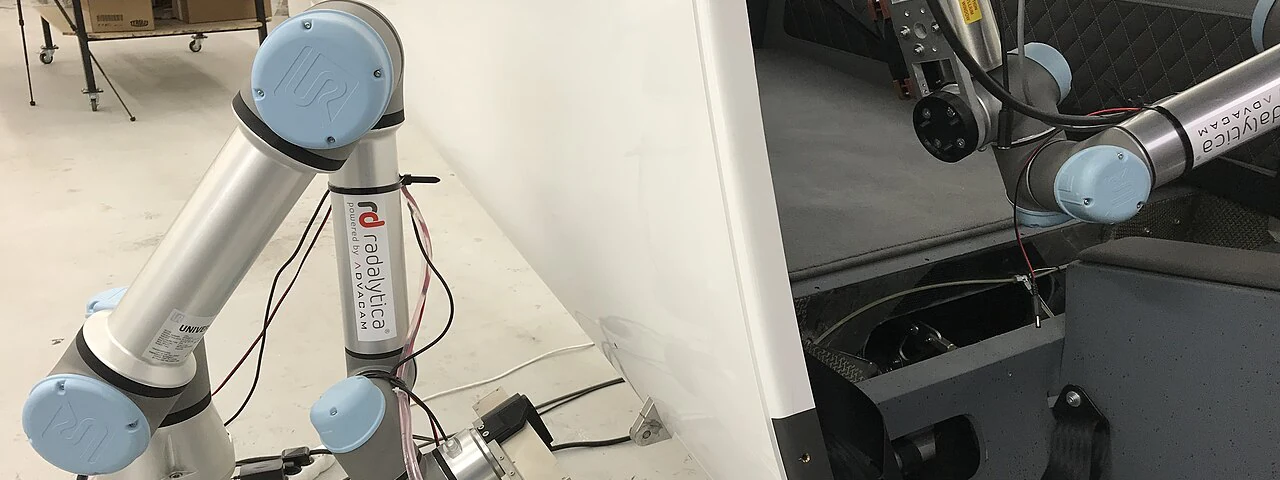
Start with an existing six-axis joint path, combine a robotics expert, development connectors and trajectory skills, then compare time allocations, verify velocity and acceleration constraints and deliver a replayable offline trajectory.
A robot path connects its start and end poses, yet its original timing produces a velocity spike or a sudden acceleration. The development task can be narrowed to retiming that established geometric path. This example shows how leapsea can organize model files, path data, constraints and evaluation scripts for offline six-axis arm development.
Fix the path, coordinate conventions and constraints
Create a local task with the joint-path CSV, joint names and ordering, angle units, endpoint states and tool and base frames. Retain the planner configuration and provenance where applicable. Define the goal as finding new timing under specified joint velocity and acceleration bounds and comparing duration and constraint violations.
Retiming changes progress along a path whose geometry needs prior review. Record position limits, tool frames and actuator constraints separately, with every data column mapped to its corresponding model joint. If the project also requires torque, collision or jerk constraints, include their specific models and validators and report the scope actually exercised.
Ask the robotics expert to review the inputs
Select the Robot Motion Control Expert and request checks of the coordinate chain, joint mapping and path continuity. Read the Robot Motion Control Expert Workflow for offline kinematics, timing and tracking-evidence requirements. The expert should identify missing machine parameters and boundary conditions and record the conventions adopted.
A joint jumping from near positive pi to negative pi could reflect angle representation or a real discontinuity. Check its range and the original planning notes before unwrapping it. Review segment connections, stops and endpoint derivatives during interpolation. The joint-order mapping needs independent inspection even when an animation looks smooth.
Domain Expert
 Robot Motion Control Expert
Review frames, joint mapping and endpoint conditions.
Skill
- Robot Motion Control Workflow
Organize offline kinematics and trajectory timing checks.
- Scientific Plotting
Plot position, velocity, acceleration and limits.
Connector
- GitHub Development Collaboration
Check robot models and the TOPPRA revision.
Retrieve a reviewable model through the development connector
Use the GitHub Development Collaboration connector to read the MuJoCo Menagerie UR5e description, MJCF and license and retain the selected revision. The model derives from a public robot description and provides a basis for offline simulation. Obtain velocity and acceleration bounds from applicable machine documentation or project configuration, recording sources and units.
Use the connector to check TOPPRA's official code and documentation, then fix the version, solver and supported constraints. GitHub supplies development references. The trajectory solver executes in the configured local environment. Preserve dependency requirements and environment-check results so another run can use the same setup.
Represent geometric path and timing separately
Follow the robotics workflow to represent joint positions as q(s) and the time allocation as s(t). Use a monotonically increasing path parameter and inspect duplicate points, very short segments and interpolation overshoot. Scientific Plotting can show the original joint path and segment derivatives to locate the source of an anomaly.
Create a common constraint configuration with each joint's position, velocity and acceleration ranges and endpoint velocities. Establish a conservative uniform time-scaling baseline. Every comparison uses the same path and constraints. Save model, path and configuration versions together so that a timing comparison has stable inputs.
Compare a conservative baseline with TOPPRA
Ask the agent to write and run retiming scripts in the available solver environment. TOPPRA computes a time parameterization for a given path and constraints. Retain its discretization grid, solver status and output duration. Complete a small path test before applying the same procedure to the full input, preserving the location and configuration of any failure.
When deriving joint velocity and acceleration from q(s) and s(t), include the contributions of the path's first and second derivatives. Sample the output more densely than the solver grid to inspect peaks inside interpolation segments. Jerk or torque conditions require their respective constraint models and checkers, with a record of which conditions were actually solved and verified.
Review constraints and playback evidence
Have the expert inspect maximum velocity, acceleration, position range and endpoint states for each joint. Report offending times and path segments. Compare durations once the candidates meet the same verified conditions. Endpoint poses and the tool path should agree with the established geometry, with sampling and interpolation errors recorded.
If replaying in an appropriate MuJoCo scene, save target trajectories, simulated states and tracking errors separately. Dynamic playback requires explicit actuator settings, payload and time step. Conclusions depend on the constraints and simulation checks covered. Deployment on equipment follows the applicable on-site validation procedure.
Deliver the path, timing and constraint evidence
Publish references to the original path, the timed trajectory CSV, joint mapping, constraint configuration, solver scripts and per-joint checks as artifacts. Figures should show position, velocity and acceleration with thresholds taken from the saved configuration. Include simulation logs and playback material when available.
Use leapsea research branches to compare solver settings under identical inputs and validators. A change in payload or endpoint conditions can continue from the recorded task and rerun the affected checks. Actual calculations determine any reduction in duration and identify which joints limit the motion.
Give the agent an executable task request
Attach the path and confirmed machine parameters so the expert can inspect fields and units first. Select tools according to the local environment, recording missing dependencies and unverified conditions. Start with this request.
Retime this six-axis joint path offline. Use the Robot Motion Control Expert and its workflow, Scientific Plotting, and GitHub Development Collaboration to check the robot model and TOPPRA revision. First verify joint order, angle units, continuity and constraint sources. Compare uniform time scaling with retiming. Deliver timed trajectories, solver settings, dense velocity and acceleration checks, actual execution logs and the verified scope.